QR asset tracking software
Put the asset record one scan away from the equipment.
Give machinery, tools and vehicles a fixed QR identity. Staff scan with a phone to reach the correct AssetForge record, then continue into checks, faults, history and the work tied to that asset.
Why QR works in a workshop
The physical machine becomes the shortcut to its digital history.
People should not need to remember an asset name, search a long spreadsheet or walk back to the office just to identify the record they are standing beside.
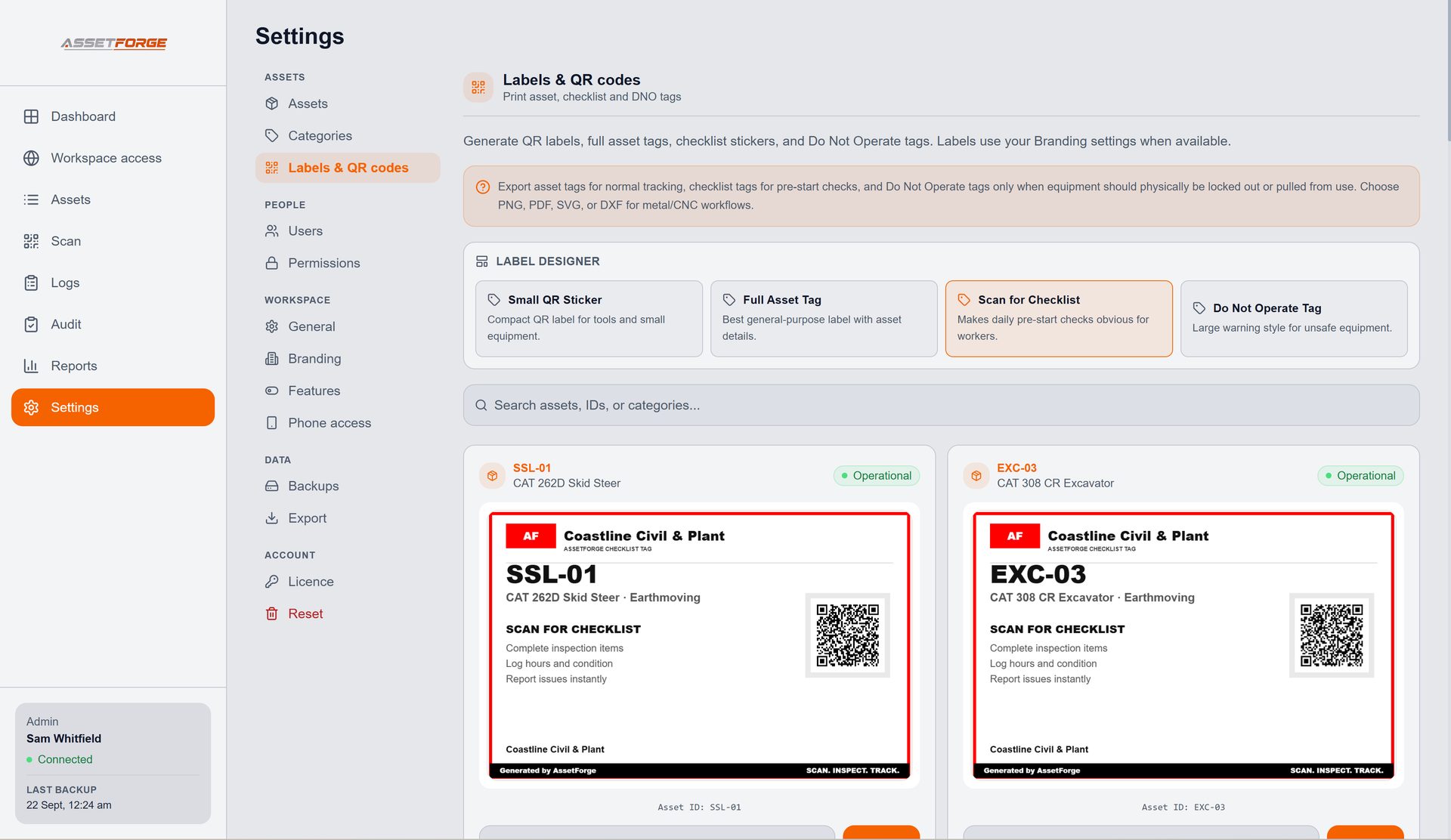
Each label points to a fixed asset identity instead of relying on a handwritten description.
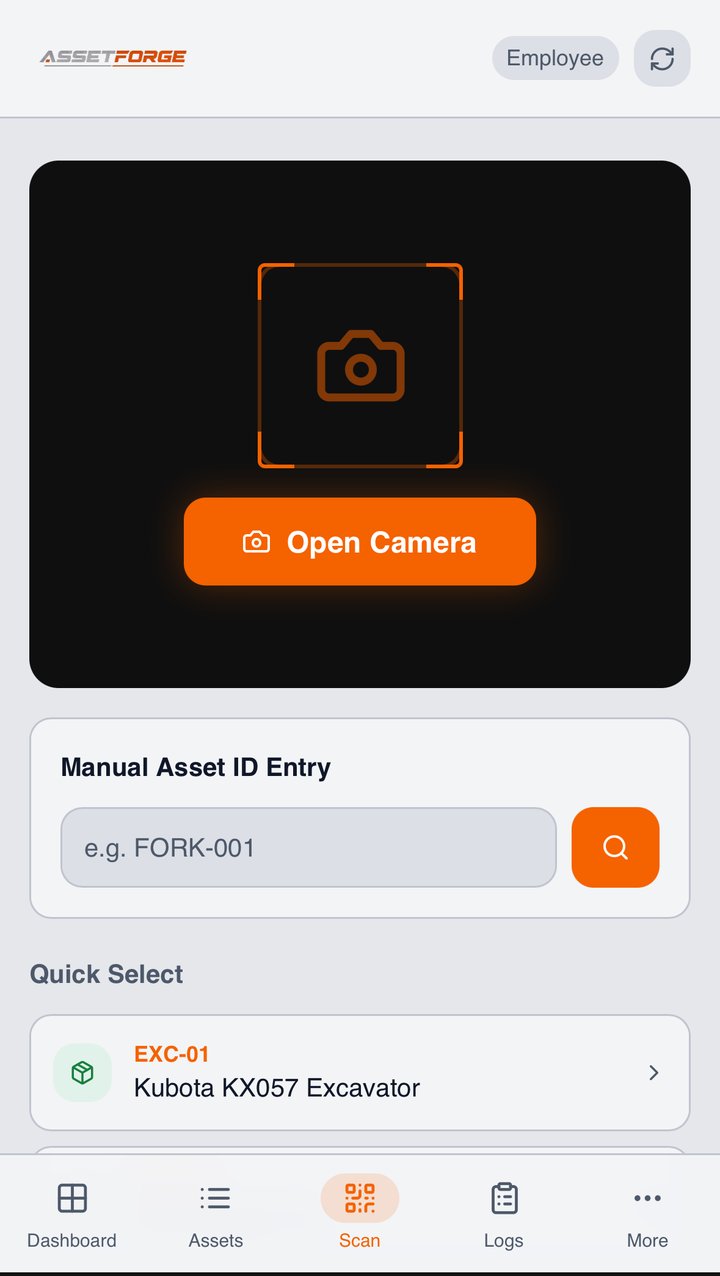
Once the record is open, staff can continue into the checklist, fault or history they need.
The office sees activity against the same record, keeping the trail connected.
No special scanner
Use the phones your crew already carries.
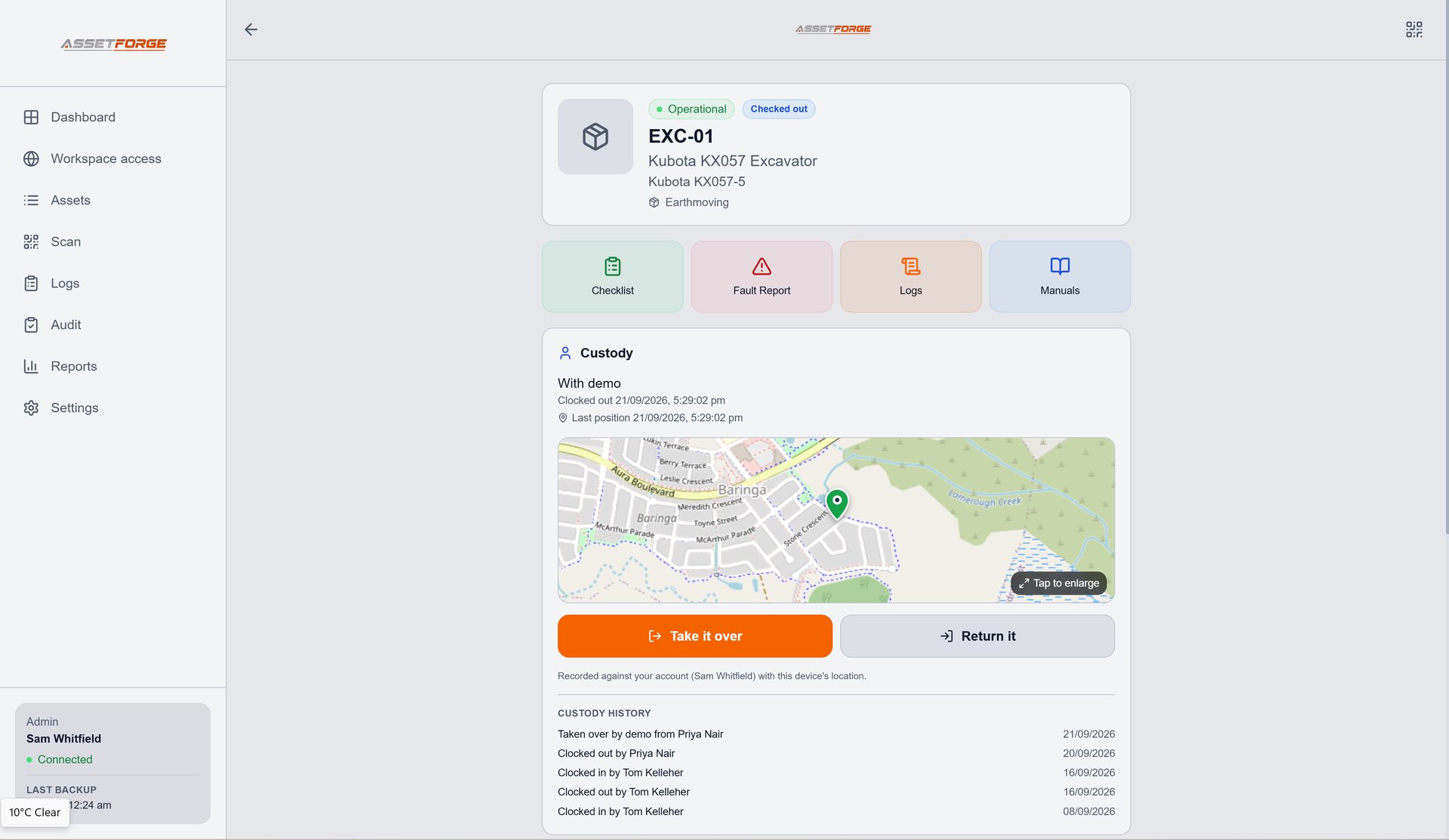
AssetForge's floor workflow runs in a phone browser over the local workshop network. The camera can scan the asset label, while manual asset-ID entry provides a fallback if a label cannot be read.
- No separate mobile app required for staff
- Role-controlled access to the sections they need
- Scan directly into the correct asset workflow
- Keep the desktop admin interface separate from floor tasks
Beyond location
QR asset tracking is more useful when the code opens work, not just a name.
A basic QR register can tell you what an item is. AssetForge uses that identity as the link into a wider operational record: inspections, reported faults, logs, documents and output created from the asset history.
That makes the label useful at the exact moment someone is standing beside the equipment and needs to do something with it.
Questions
QR asset tracking FAQ
Practical details about labels, scanning and the AssetForge workflow.
What does an AssetForge QR code open?
A QR label identifies the AssetForge asset so staff can reach the relevant mobile workflow and record for that equipment.
Do we need dedicated barcode scanners?
No. AssetForge is designed so staff can use the camera on a phone through the browser-based floor interface.
What if a QR label is damaged?
The asset ID can still be entered manually, and a replacement label can be generated from the desktop system.
Can AssetForge print QR labels?
Yes. AssetForge includes label creation and printable QR labels so an asset can have a fixed physical identity that matches its digital record.
New in AssetForge
New features, and which plan they’re in.
AssetForge is $99.99/month for the full workshop system. AssetForge Advanced ($129.99/month) adds maps, deeper history and your branding.
One tap to take or return an asset, recorded against the staff login with the phone’s location.
A private https link for phones on mobile data, at job sites or at home. No VPN or router setup.
Colour-coded pins show where every asset was last used, its status and who has it.
Who had what, when and where — with activity by person in reports.
Compare both plans · Recommended plan by industry · Still not convinced? See how we compare on cost →
Make every asset easier to identify and easier to act on.
Connect the QR label to checks, faults, documents and history in one focused workshop system.