Equipment maintenance tracking
Keep faults, fixes and maintenance history attached to the machine.
AssetForge gives workshop teams a clearer trail from inspection to reported problem to follow-up record, so equipment history is not split between check sheets, messages and spreadsheets.
From issue to history
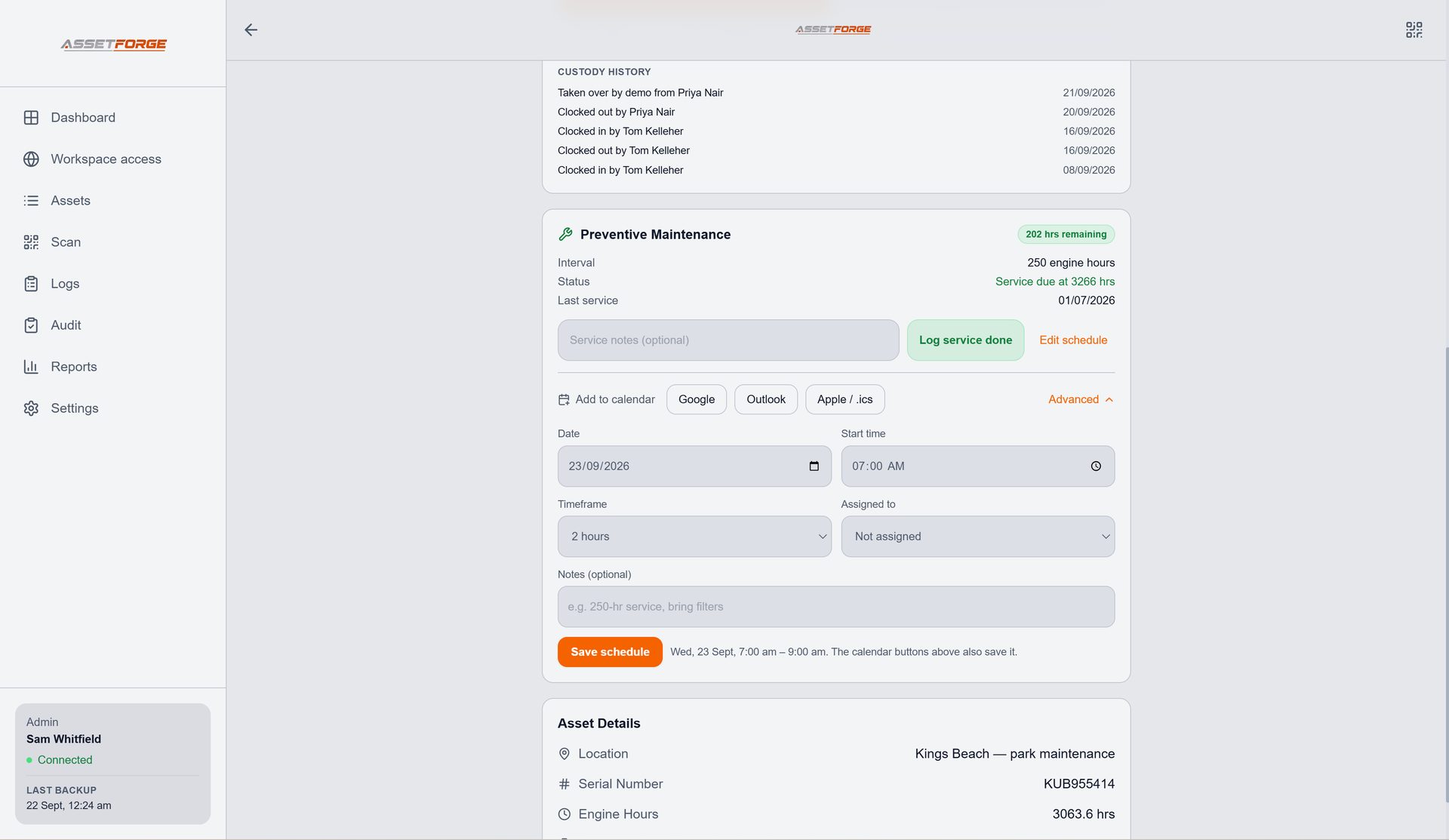
Maintenance records are easier to trust when they share the same asset identity.
AssetForge is not a replacement for qualified inspection or maintenance. It is the record-keeping layer that keeps the relevant information organised around the equipment.
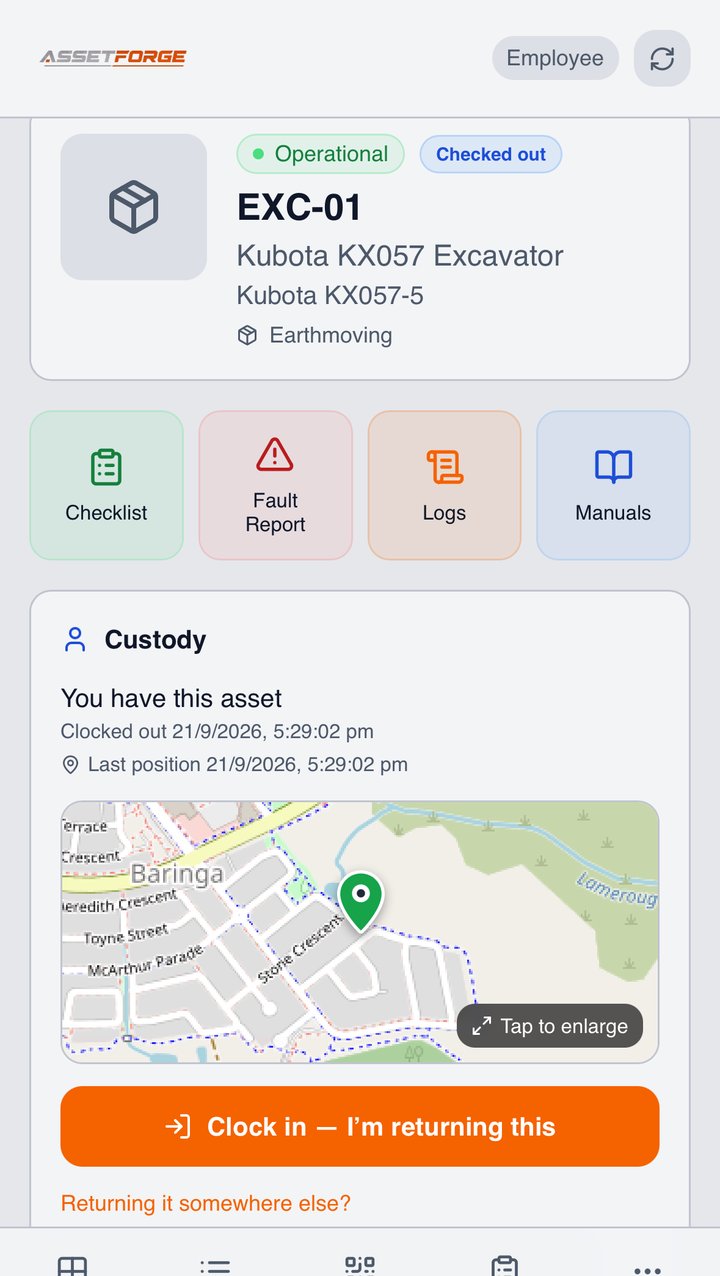
Capture the fault while the person and equipment context are still available.
Use the desktop workspace and status to see which assets need follow-up.
Keep the detailed log and asset history available for later work and reporting.
Fault reporting
Capture useful detail instead of a vague note.
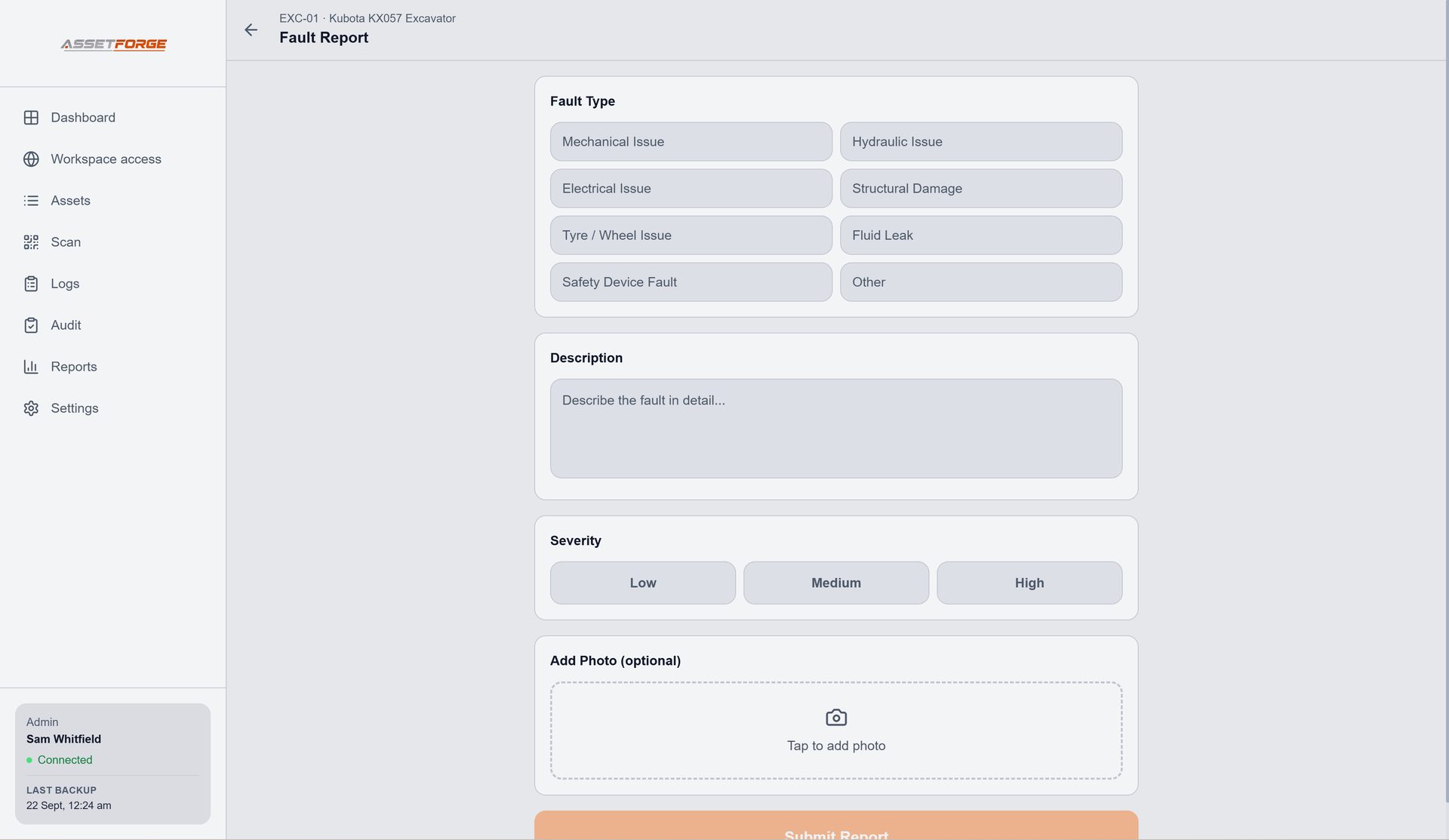
When an issue is found, AssetForge can keep the description, severity and photo evidence with the correct asset. That gives the person reviewing the fault more context than a message that simply says a machine is "broken".
- Record the affected asset
- Add a clear fault description
- Attach supporting photos
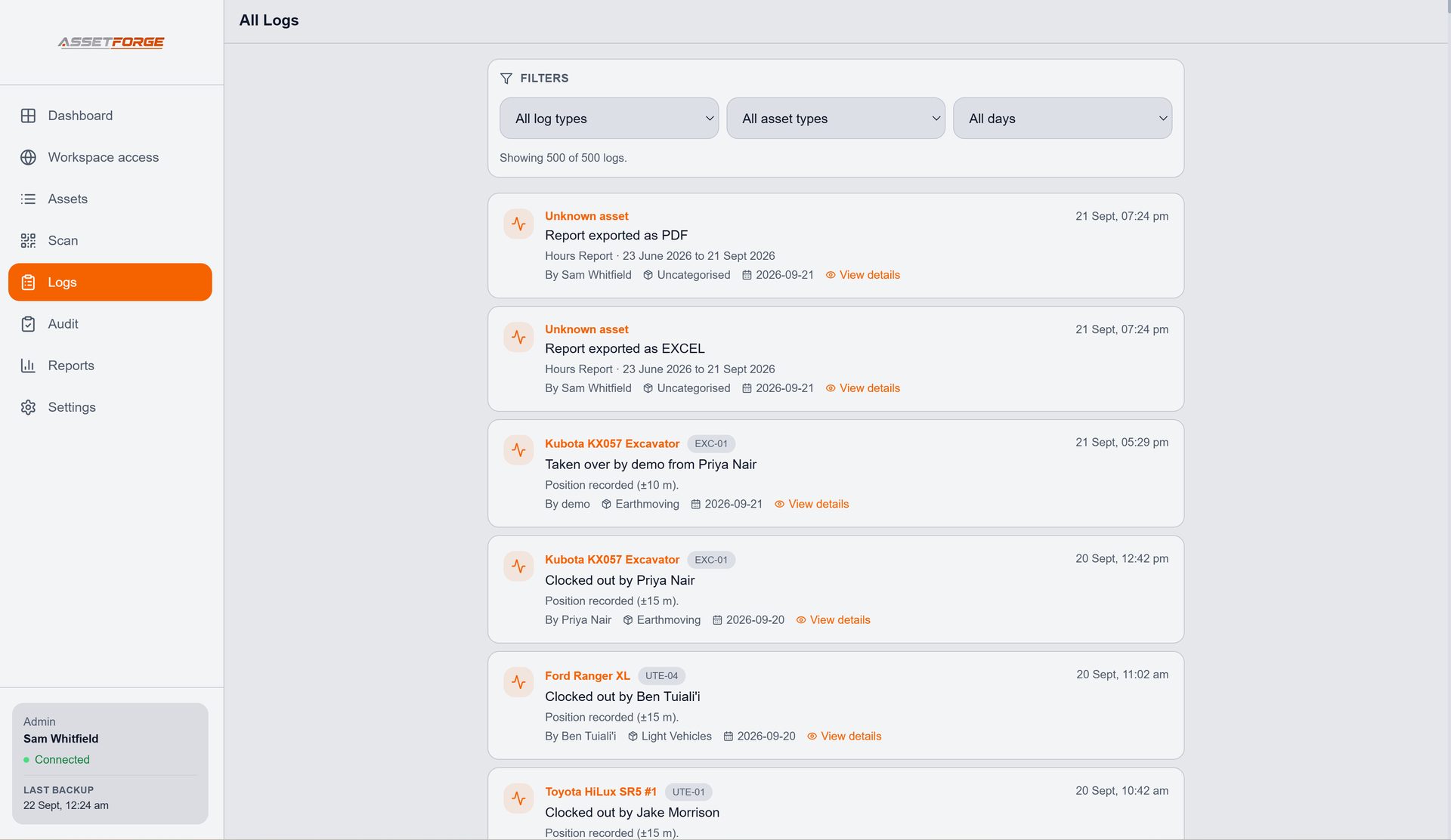
- Keep the follow-up trail visible in logs
History
Make past work searchable when the equipment comes back around.
Logs preserve what happened across checks, faults and follow-up activity. Instead of reconstructing a history from multiple places, the record can be reviewed from the same system that manages the asset.
Reports can then turn stored history into a clearer document for internal review, handover or record keeping.
Questions
Equipment maintenance tracking FAQ
What AssetForge records and where it fits into a workshop maintenance process.
Can AssetForge track equipment faults?
Yes. Faults can be recorded against an asset with a description, severity and supporting photos, then reviewed as part of the asset history.
Can we see which assets need attention?
The dashboard and asset status workflow are designed to surface equipment that needs attention, including maintenance-due and out-of-service states.
Does maintenance history stay with the asset?
AssetForge keeps activity and detailed log records associated with the asset so previous checks, faults and follow-up work remain easier to find.
Can maintenance records be exported?
AssetForge includes reports with charts, tables and asset history so stored information can be turned into a professional record when needed.
New in AssetForge
New features, and which plan they’re in.
AssetForge is $99.99/month for the full workshop system. AssetForge Advanced ($129.99/month) adds maps, deeper history and your branding.
Send services to Google, Outlook or Apple Calendar with a time block and an assigned person.
Engine-hour history with graphs, exported to PDF, Excel, CSV or HTML.
Take unsafe equipment out of service in the app and print a matching tag.
See who’s connected right now and a live feed of workshop activity.
Compare both plans · Recommended plan by industry · Still not convinced? See how we compare on cost →
Keep the equipment record useful after the fault is reported.
Connect inspection, fault, status, history and reporting around the same asset.