Pricing
Two simple monthly plans. Every core feature in both.
AssetForge runs the whole day-to-day workshop system for $99.99 a month. AssetForge Advanced adds live maps, deeper history and your own branding for $129.99. No per-user or per-asset fees on either — jump to the plans.
What you're actually paying for
Four things paper and spreadsheets can't do.
This isn't a features list padded out to look impressive — it's the specific, practical difference AssetForge makes on a normal working day.
Every check, fault, fix and document is attached to the asset itself via its QR tag — not to a person's memory, a notebook, or whoever happened to be on shift.
Scanning a tag and tapping through a checklist on a phone is faster than finding a clipboard. That's the entire reason pre-starts get skipped, and it's the thing AssetForge fixes first.
When an insurer, auditor or new manager asks "can you show me the last three inspections on this machine," the honest answer becomes yes instead of a shrug.
Records, photos and backups live on your own computer, not a subscription-only cloud you lose access to the moment you stop paying someone else.
Day to day
What actually changes for your team.
None of this requires retraining your whole crew. The change is small on any single day and compounds over months.
- Staff scan a tag instead of hunting for a clipboard or logbook
- Faults get photos and severity attached the moment they're found
- Managers see overdue checks and open faults from the office, not by walking the floor
- Reports and QR labels are generated from the app, not built manually in a spreadsheet
- New staff get a login scoped to what they need, with no separate training system
Under the hood
How it's built, in plain terms.
The pricing makes more sense once you know what you're actually running.
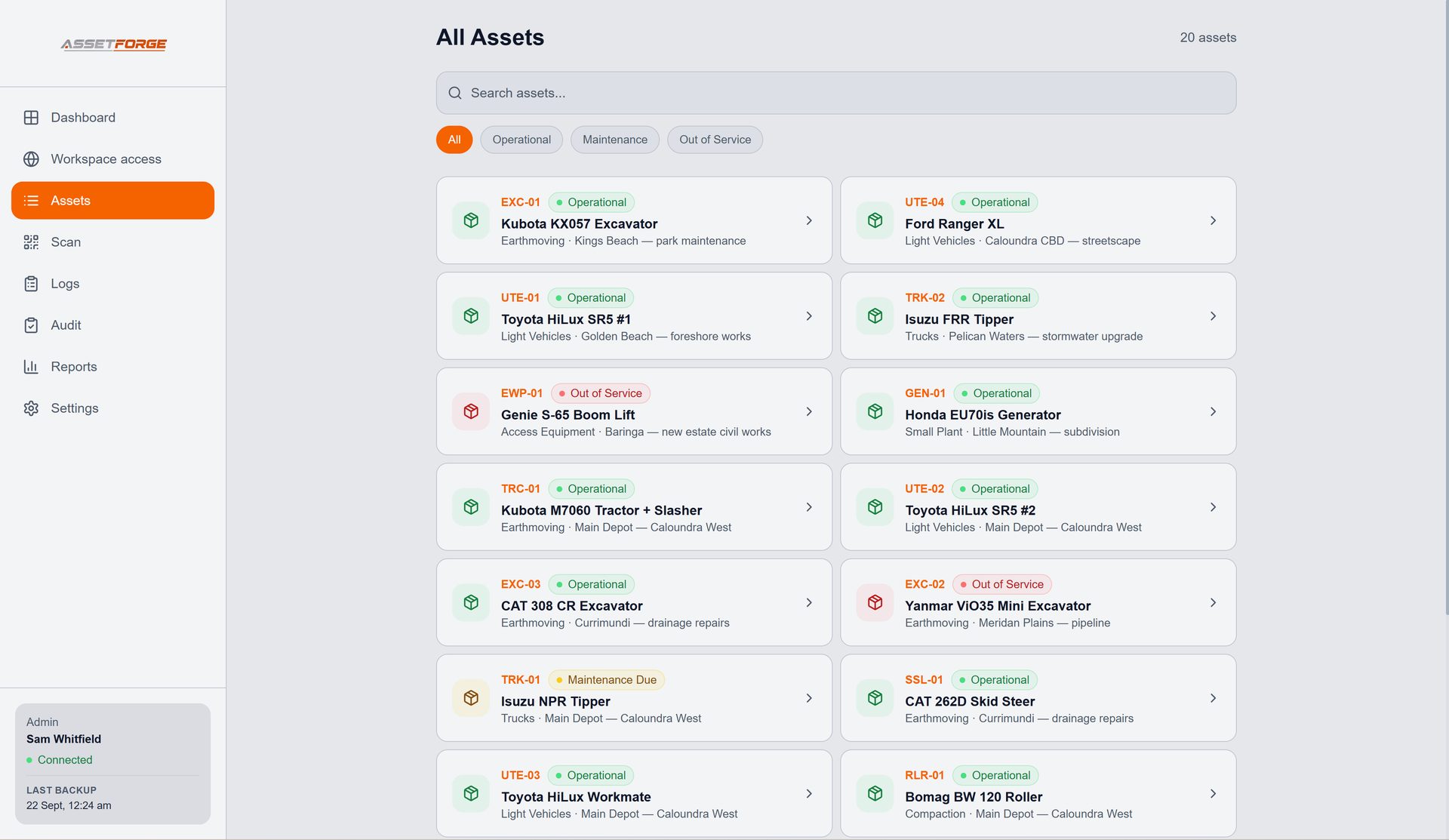
AssetForge installs on a Windows computer at your workshop or depot — that machine hosts the app and stores your data.
Phones open AssetForge in a browser on the workshop Wi-Fi, or anywhere through a secure remote link — no app store install, no VPN, no separate login system to manage.
Because it's local-first, day-to-day use doesn't depend on the internet, and you control exactly where backups are stored.
The plans
Pick the plan that fits how your gear moves.
If your equipment mostly stays in one workshop, AssetForge has everything you need. If it moves between sites, vehicles or customers, AssetForge Advanced shows where it is and who has it.
Billed monthly · Cancel anytime · No annual contract · Switch plans whenever you likeEverything a workshop runs on, day to day.
- Unlimited assets and unlimited staff logins
- QR labels, scanning and the full phone workflow
- Pre-start checklists, fault reports and Do Not Operate tags
- Maintenance records, hours tracking and calendar scheduling
- Clock in / clock out with last-known location
- Secure remote access — use it anywhere, no VPN
- Reports, manuals, backups, import and export
- Staff permissions, notifications and themes
Everything in AssetForge, plus full visibility of where things are and who has them.
- Live asset map with colour-coded status pins
- Map view on every asset, with directions
- Advanced location and custody history
- Advanced reports: activity by person, positions
- Your company branding on the app, reports and labels
- Full operational dashboard: who's connected, live activity
- Scheduled reports & advanced notification rules (coming soon)
Comparing us with per-user or per-asset software? See how the costs stack up →
Compare plans
Everything side by side.
Every core workshop feature is in both plans. ★ marks what AssetForge Advanced adds.
| Feature | AssetForge $99.99/mo | Advanced $129.99/mo |
|---|---|---|
| Asset register | ✓ | ✓ |
| QR codes & scanning | ✓ | ✓ |
| Unlimited assets | ✓ | ✓ |
| Unlimited employees / users | ✓ | ✓ |
| Employee / admin permissions | ✓ | ✓ |
| Checklists & inspections | ✓ | ✓ |
| Fault reporting with photos | ✓ | ✓ |
| Do Not Operate tags | ✓ | ✓ |
| Maintenance records & calendar scheduling | ✓ | ✓ |
| Asset hours / meter tracking | ✓ | ✓ |
| Manuals & documents | ✓ | ✓ |
| Basic locations | ✓ | ✓ |
| Clock in / clock out (custody) | ✓ | ✓ |
| Mobile interface | ✓ | ✓ |
| Secure remote access | ✓ | ✓ |
| Backups, import & export | ✓ | ✓ |
| Reports | ✓ | ✓ |
| Notifications | ✓ | ✓ |
| Themes | ✓ | ✓ |
| Maps & visual locations | — | ✓ |
| Advanced location history | — | ✓ |
| Advanced custody history & analytics | — | ✓ |
| Advanced reports & analytics | — | ✓ |
| Company branding on reports & app | — | ✓ |
| Operational dashboard | Basic | Full |
| Scheduled / automated reports | — | Coming soon |
| Advanced notification rules | — | Coming soon |
Recommended by industry
Which plan suits your work?
A quick guide based on how equipment is used in each industry. Not sure? Start with AssetForge and upgrade any time — your data carries straight over.
Hoists, tools and workshop equipment in one building — QR pre-starts, faults and maintenance cover it.
Go Advanced if you run several bays or sites, or want branded reports for customers. AssetForge AdvancedConstruction, trades & plantPlant and tools move between job sites every day — the live map and custody history show where each item is and who has it.
AssetForge suits a small crew with gear that stays in one yard. AssetForgeManufacturing & fabricationFixed machines on one floor — pre-starts, Do Not Operate tags and maintenance scheduling do the heavy lifting.
Go Advanced for branded audit reports and per-person analytics. AssetForge AdvancedTransport & fleet maintenanceVehicles leave the depot — clock in/out with GPS, the fleet map and custody analytics show where every vehicle was last used.
AssetForge suits a small depot-based fleet that stays on site. AssetForgeWarehouse & logisticsForklifts and MHE on one floor — digital pre-starts, faults and hours tracking are what matter most.
Go Advanced for multiple sites, shift-level custody analytics or branded reports. AssetForge AdvancedEquipment hireHire gear goes out and comes back — the map, custody history and branded reports make hand-overs clear.
AssetForge suits a small hire yard with low turnover.The real comparison
What replacing paper actually costs you.
The honest comparison isn't AssetForge against other software — it's AssetForge against what most workshops are doing right now.
| Paper & spreadsheets | Enterprise EAM/CMMS | AssetForge | |
|---|---|---|---|
| Setup time | None, but no structure | Weeks of onboarding | Hours — install and tag assets |
| Typical cost | "Free" plus lost admin time | Often $200–$1000+/month | $99.99 or $129.99/month flat |
| Where data lives | Filing cabinets, someone's inbox | Vendor's cloud | Your own PC and backups |
| Finding an asset's history | Search through old sheets | Possible, but built for larger fleets | One QR scan away |
| Staff training required | Low, but inconsistent results | Often significant | Minimal — phone browser, no app install |
| Works when the internet is down | Yes, by default | Rarely | Yes on site — plus secure remote access when online |
Pricing questions
Before you subscribe.
The short version of the licensing and billing questions we get most.
Is there a free trial?
There's no separate trial build. Every subscription is fully working from day one, and you can cancel before your next billing date if it's not the right fit.
What does the 2 activation licence limit mean?
Your licence key can activate AssetForge on up to 2 machines — for example your main office PC and a backup or second admin computer.
Can I cancel anytime?
Yes. Subscriptions renew automatically until cancelled. There's no annual contract or lock-in period — see the full terms for details.
Do staff logins cost extra?
No. Add a login for each employee and choose what they can access at no additional cost.
What happens to our data if we cancel?
Your records, photos and reports stay on your own hardware regardless of subscription status — they were never stored anywhere else.
Does the price change if we have a lot of equipment?
No. Both plans cover your whole asset register and every staff login — there's no per-asset, per-item or per-user fee as you grow.
What's the difference between AssetForge and AssetForge Advanced?
Both include the full workshop system: assets, QR scanning, checklists, faults, maintenance and calendar scheduling, clock in/out, remote access, reports and backups. Advanced adds the live asset map, advanced location and custody history, advanced reports and analytics, company branding and the full operational dashboard.
Can I change plans later?
Yes. Upgrade or downgrade whenever you like. Your data stays on your computer, so nothing is lost — Advanced features simply switch on or off with your licence key.
Does remote access cost extra?
No. Secure remote access — a private https link your team can use from anywhere — is included in both plans.
Put one clear record behind every asset.
Start today — installer access is available right after checkout.