Manufacturing & fabrication
Give every machine on the floor a pre-start, a fault log and a history.
Press brakes, guillotines, welders and fixed machinery all carry real safety requirements and real downtime cost. AssetForge ties each machine to a QR tag so operators can run pre-starts, log faults and see history without leaving the floor.
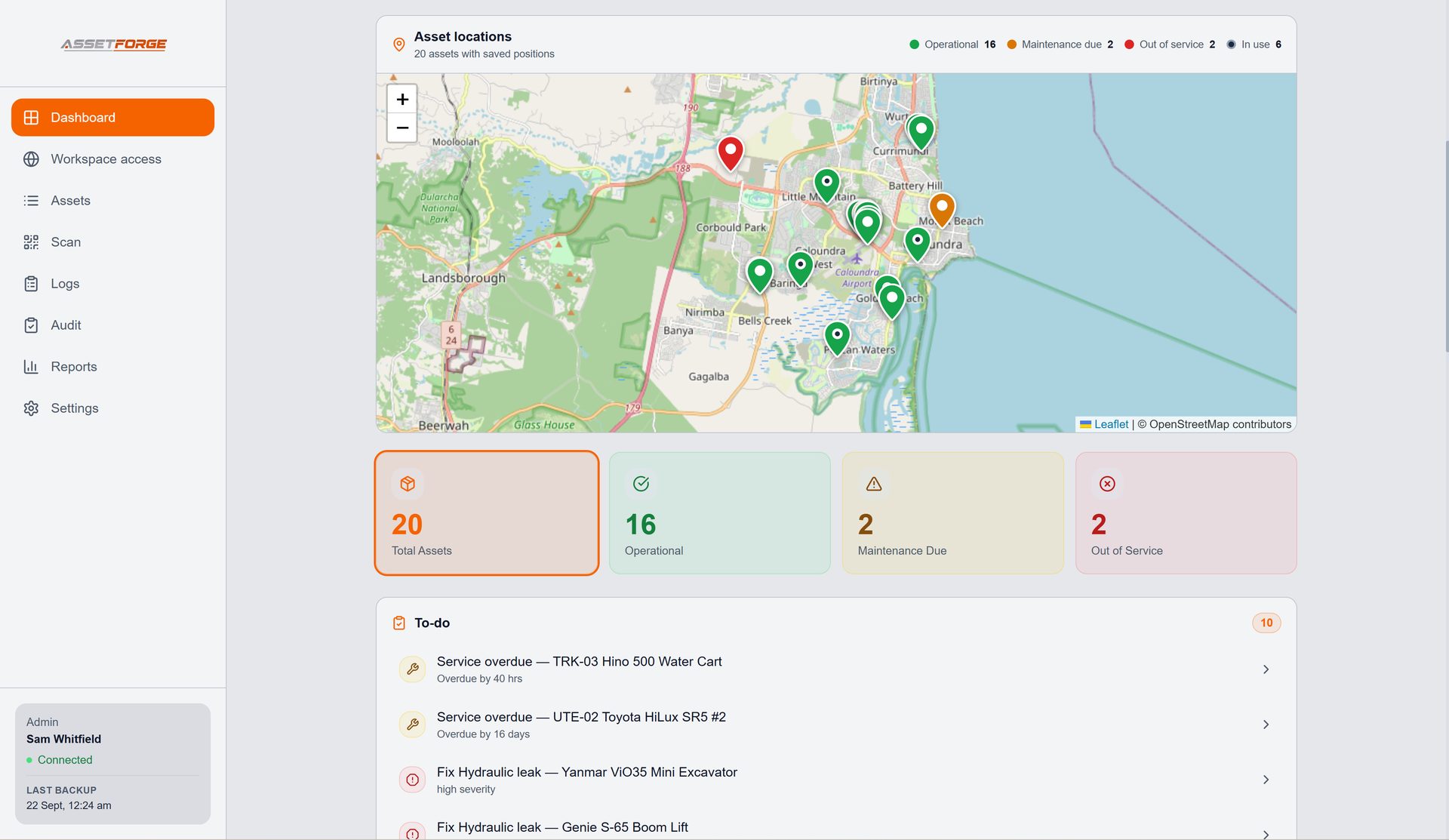
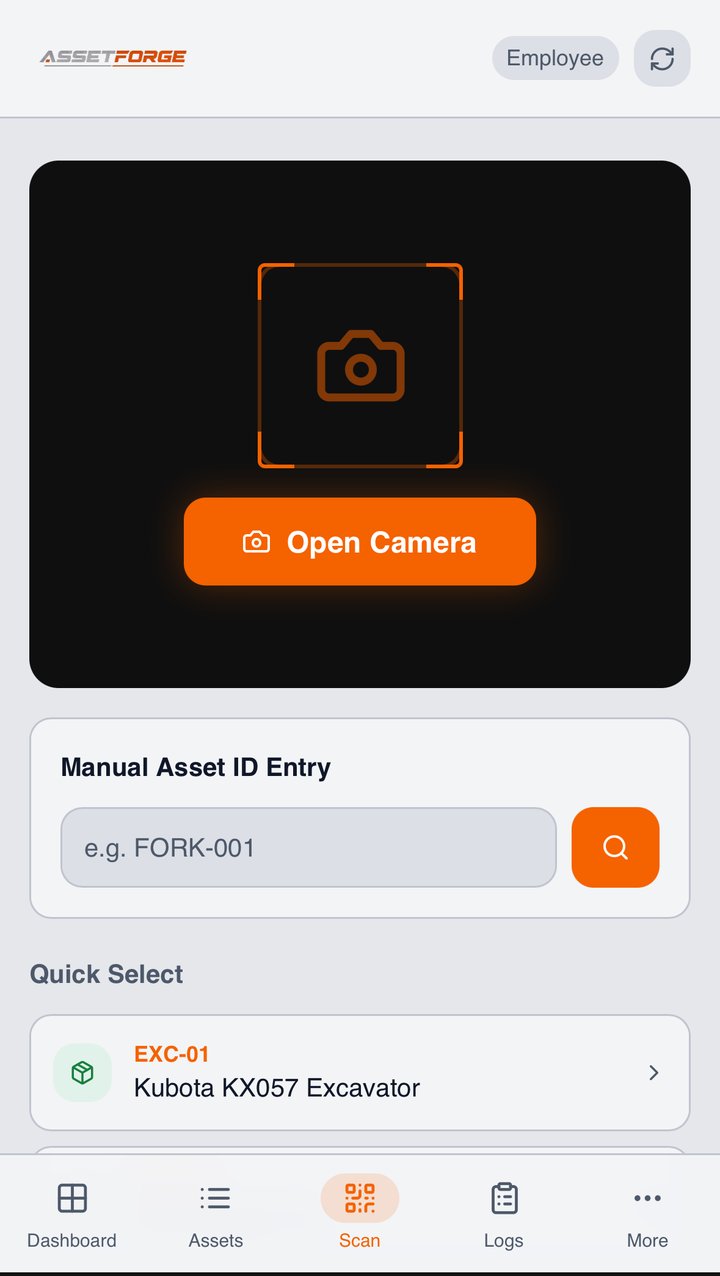
Real tag, real machine
This tag is on a press brake right now.
This is an actual AssetForge checklist tag, laminated and mounted on a press brake at CDI Motorsport — not a mockup of what it could look like.
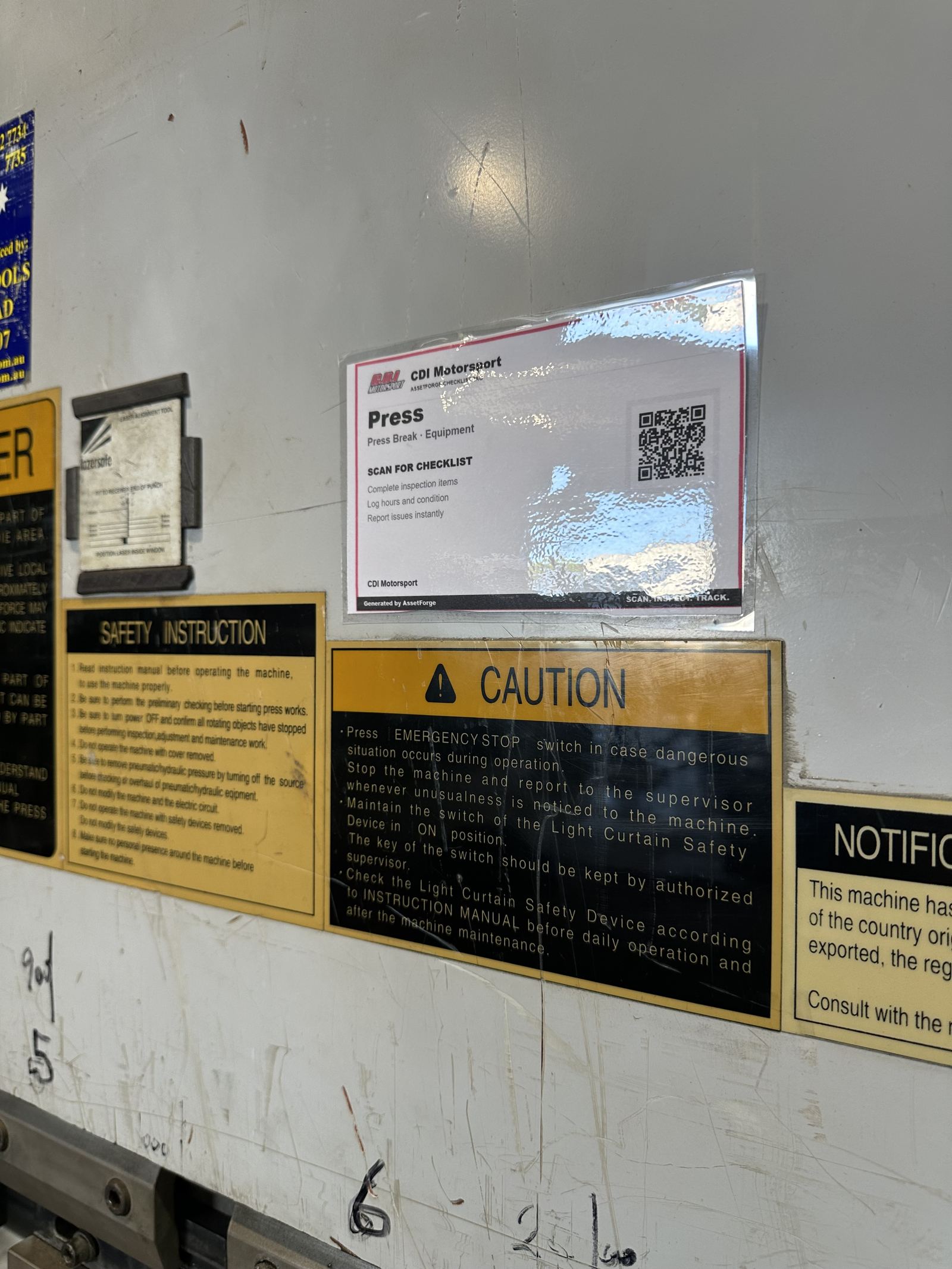
Safety-critical equipment
Machinery with real risk deserves more than a laminated sheet.
Press brakes, guillotines and other fixed machinery already carry safety signage and operating procedures. AssetForge adds a live inspection and fault record without replacing any of that.
Operators scan the machine's tag and run the required pre-operation checklist before powering up — light curtains, guarding, emergency stops, whatever the machine calls for.
An issue found mid-shift is logged against that exact machine with a photo and severity, not mentioned to a supervisor and forgotten.
Checklists can capture usage or cycle counts alongside the inspection, keeping maintenance intervals grounded in real use.
When an operator leaves, the machine's inspection and fault history stays exactly where it was — attached to the asset, not a person's memory.
How it works on the floor
Scan, inspect, report — before the machine runs.
The workflow sits next to the machine's existing safety signage rather than replacing it.
Scan the machine tag
The operator scans the tag mounted on or near the machine, the same way they'd check any other posted instruction.
Complete the pre-operation check
A checklist built for that specific machine appears — guarding, e-stops, fluid levels, whatever applies.
Log hours or cycles
If the checklist calls for it, usage is recorded alongside the inspection.
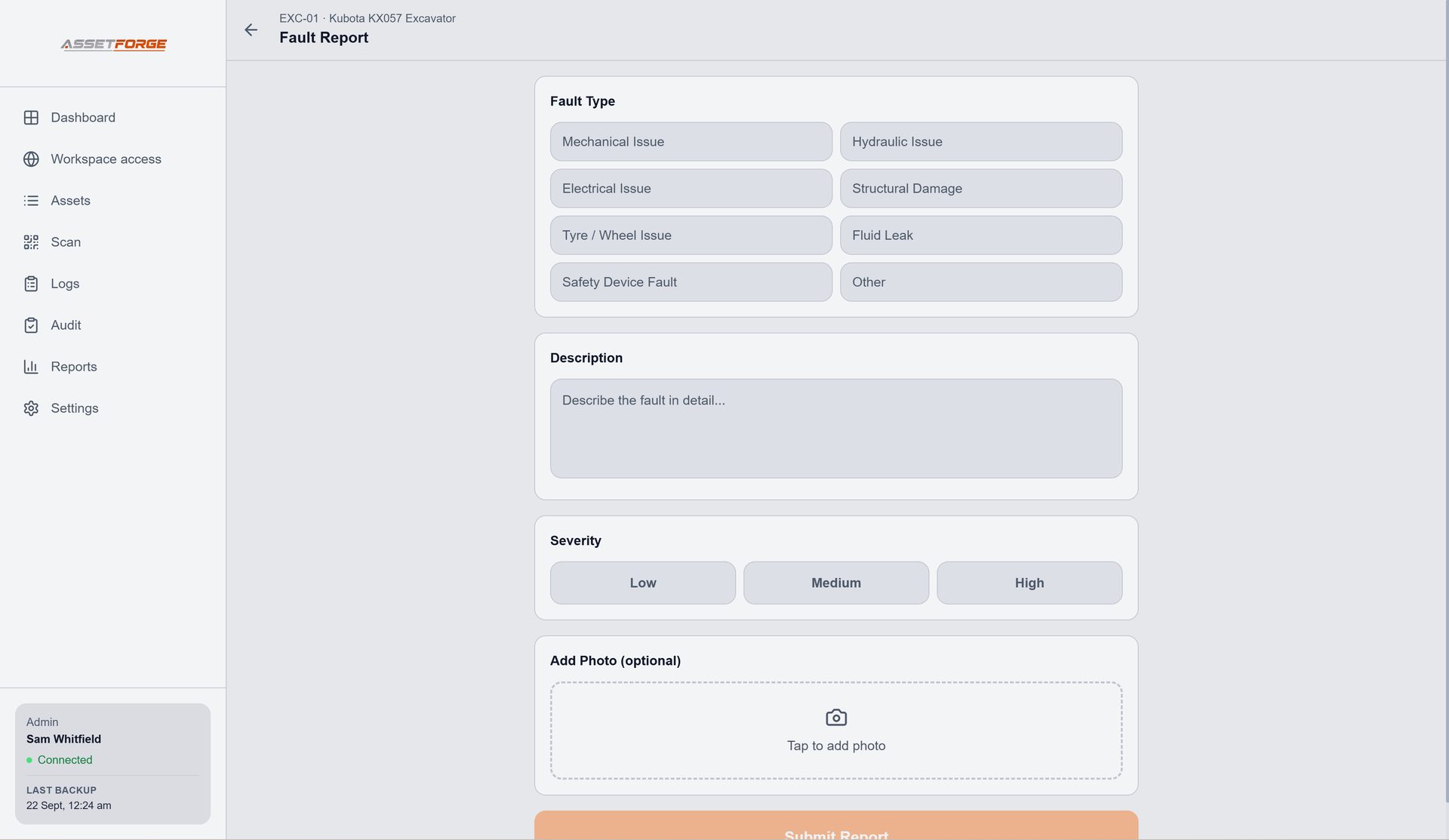
Flag a fault instantly
Anything unsafe or wrong is logged with a photo and severity before the machine is used, not after.
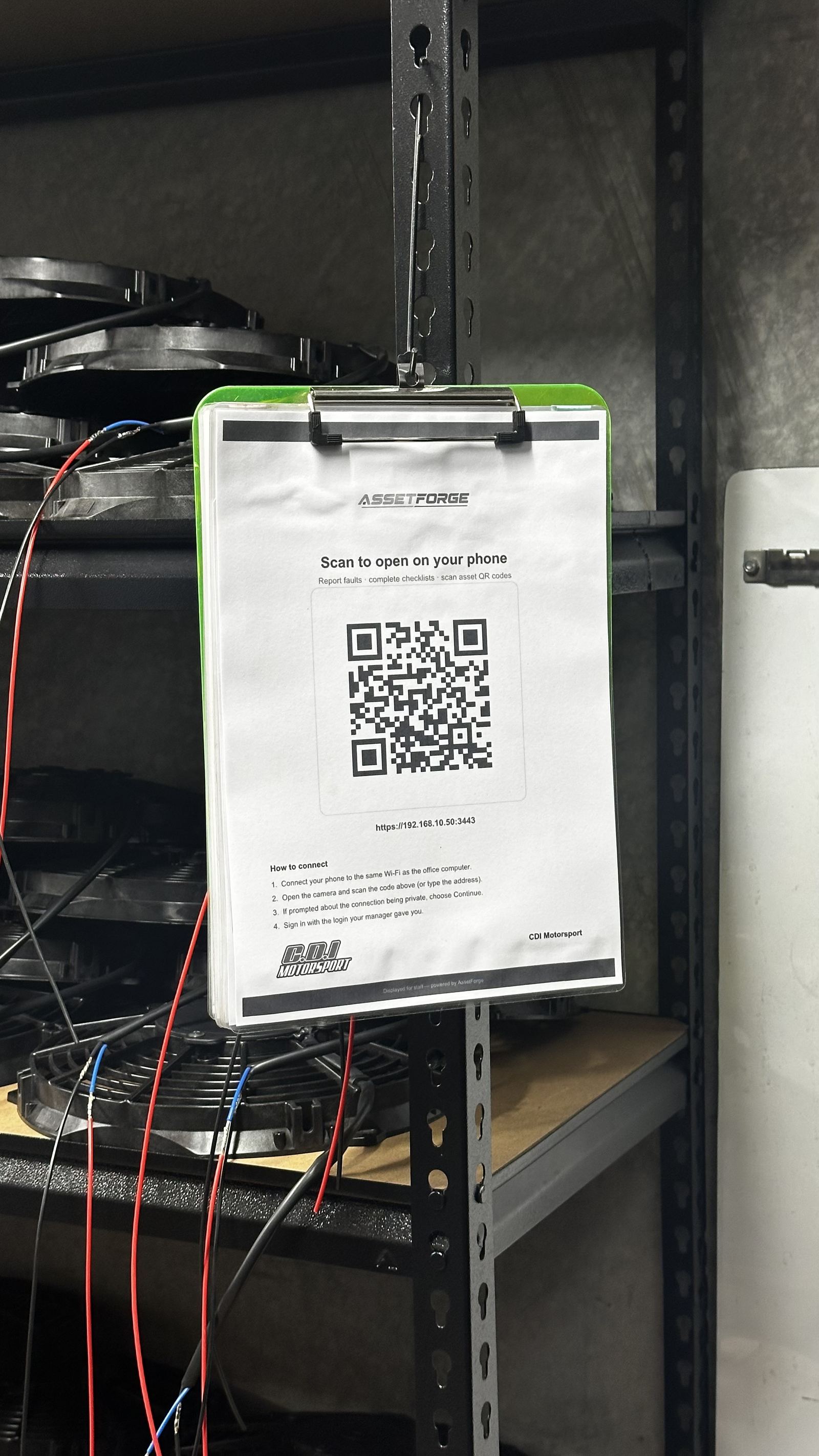
How the connection works
AssetForge runs on your own computer, not someone else's cloud.
AssetForge is hosted on a computer at your workshop or depot. Staff phones connect to it over the workshop Wi-Fi, or from anywhere through AssetForge's secure remote link. For fixed floor machinery this is a non-issue — the machines never leave the building. With Remote Access switched on, that includes checking something off-site or before it arrives back at the workshop.
- Phones scan, check and report on the workshop Wi-Fi or from anywhere via secure remote access
- Remote access runs through a private, encrypted link to your own PC — no public app store listing, no vendor cloud holding your records
- Your data stays off someone else's servers, and remote access stays off until an admin turns it on
Common on the floor
The problems this replaces.
Most fabrication shops already have safety signage. What's usually missing is a searchable record of who checked what, and when.
- A laminated pre-start sheet nobody signs consistently
- Fault history that lives in a supervisor's memory
- No record to show if a safety incident is ever investigated
- Maintenance scheduled from guesswork rather than logged usage
Questions
Manufacturing & fabrication FAQ
What fabrication and manufacturing teams ask before rolling this out on the floor.
Does this replace our existing safety signage or procedures?
No. AssetForge sits alongside your existing safety signage and procedures — it adds a digital pre-start record and fault log, it does not replace required safety documentation or compliance obligations.
Can operators use this without a company phone?
Yes. Staff use their own phone's browser on the workshop Wi-Fi, or the secure remote link from anywhere — no company-managed device, no app install, and no per-user licence fee for adding them.
Can we require a check before a machine can be used?
AssetForge records whether a check was completed and its result, but it does not physically interlock with machinery — enforcement of "no check, no use" is a site policy, not a hardware lockout.
Is AssetForge a substitute for WHS compliance?
No. AssetForge is a record-keeping and workflow tool. It helps organise inspections, faults and history, but it does not replace proper maintenance, competent inspection or your legal compliance obligations.
Can supervisors check the floor from off-site?
Yes. With Remote Access on, a supervisor or manager can open the dashboard from home or another site through a secure https link and see what's been checked, what's faulted and what's overdue for service.
Which plan should a manufacturing site choose?
AssetForge at $99.99/month covers a single floor well — pre-starts, Do Not Operate tags, maintenance scheduling and hours tracking. Step up to AssetForge Advanced ($129.99/month) if you want audit reports carrying your own branding, per-person activity analytics, or more than one site on one register.
Do we pay more as we add machines or operators?
No. Both plans include unlimited assets and unlimited logins. Tagging the small stuff — grinders, welders, test gear — costs nothing extra, which is usually where the compliance gaps are. See the cost comparison.
On a production floor
The record an auditor actually wants to see.
Most floors already do the checks. The gap is proving it months later — that's what the register fixes.
Every pre-start with date, operator, result and hours — searchable instead of stacked in a folder.
Tag a machine out of service in the app and print the matching tag. The status is visible to everyone, not just whoever walked past.
Faults carry severity and photos; the repair, who did it and when are attached to the same asset record.
Hours or calendar intervals per machine, scheduled into a real calendar with a named person assigned.
Attach the manual, wiring diagram and SOP to the asset so the operator scans the tag and has it on their phone.
Checks recorded against individual logins, so "it was done" has a name and a timestamp behind it.
Recommended plan
AssetForge $99.99 AUD / month
Fixed machines on one floor — pre-starts, Do Not Operate tags and maintenance scheduling do the heavy lifting.
Go Advanced for branded audit reports and per-person analytics.
Put a record behind every machine on the floor.
See how digital pre-start checklists work before you tag your first machine.